

If you have any questions, or just want to chat, join us on Discord.
| Train RL agents to play Pokemon Red | Rewind any game |
|
|
|

|
|
| Play the classics |
Create your own AI |
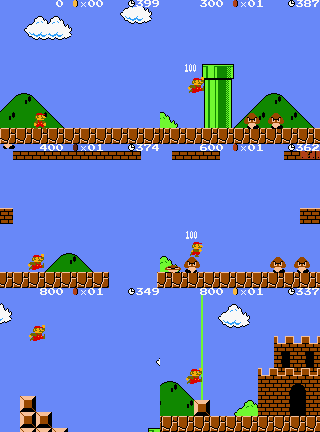
Teach Mario to win |

|

|
|
The instructions are simple:
$ pip install pyboy
For platform-specific instructions, see the installation guide.
Now you're ready! Either use PyBoy directly from the terminal
$ pyboy game_rom.gb
Or use it in your Python scripts:
from pyboy import PyBoy
pyboy = PyBoy('game_rom.gb')
while pyboy.tick():
    pass
pyboy.stop()
If you are looking to make a bot or AI, then these resources are a good place to start:
- PyBoy API Documentation
- Using PyBoy with Gym
- Example: Kirby
- Example: Tetris
- Example: Super Mario Land
- Code Examples
- Discord
When the emulator is running, you can easily access PyBoy's API:
pyboy.set_emulation_speed(0) # No speed limit
pyboy.button('down')
pyboy.button('a')
pyboy.tick() # Process at least one frame to let the game register the input
value_of_interest = pyboy.memory[0xC345]

pil_image = pyboy.screen.image
pil_image.save('screenshot.png')
The documentation homepage shows how to interface with PyBoy from your own project.
Performance is a priority for PyBoy, to make your AI training and scripts as fast as possible. Use the fast-mode to allow less accurate emulation, in exchange for performance: p = PyBoy(..., fast_mode=True).
The easiest way to improve your performance, is to skip rendering of unnecessary frames. If you know your character takes X frames to move, or the game doesn't take input every frame, you can skip those to potentially triple your performance. All game logic etc. will still process.
Here is a simple comparison of rendering every frame, rendering every 25th frame, and not rendering any frames (higher is better). See pyboy.tick for how it works. Your performance will depend on the game.
| Full rendering | Frame-skip 25 | No rendering |
| x625 realtime | x970 realtime | x1014 realtime |
for _ in range(target): pyboy.tick() |
for _ in range(target//25): pyboy.tick(25) |
pyboy.tick(target, False) |
The Game Boy was originally running at 60 frames per second, so a speed-up of 100x realtime is 6,000 frames per second. And trivially from the table above, simulating 1,014 hours of gameplay can be done in 1 hour with no rendering.
It's also recommended to be running multiple instances of PyBoy in parallel. On an 8-core machine, you could potentially do 8,112 hours of gameplay in 1 hour.
For development setup, testing, and pull request guidance, see the Contributing guide. You can browse open issues or discuss larger proposals on the PyBoy Discord.